

Link types
AppyAI provides different URLs depending on how you want to distribute your agent:| Link type | Purpose | Requirements |
|---|---|---|
| Share link | Beta testing | Sharing enabled |
| Subscriber URL | Free or paid signups | Published agent |
Share link for beta testing
Before publishing, share your agent with testers who can use it without creating an account.- Enable sharing in your agent settings
- Copy the share link
- Send to anyone you want to test your agent
Share links are for testing only. Testers won’t have accounts, preferences, or interaction history.
Subscriber URL
Your published agent gets its own landing page atyourorganization.appy.ai where customers can learn about and sign up for your agent.
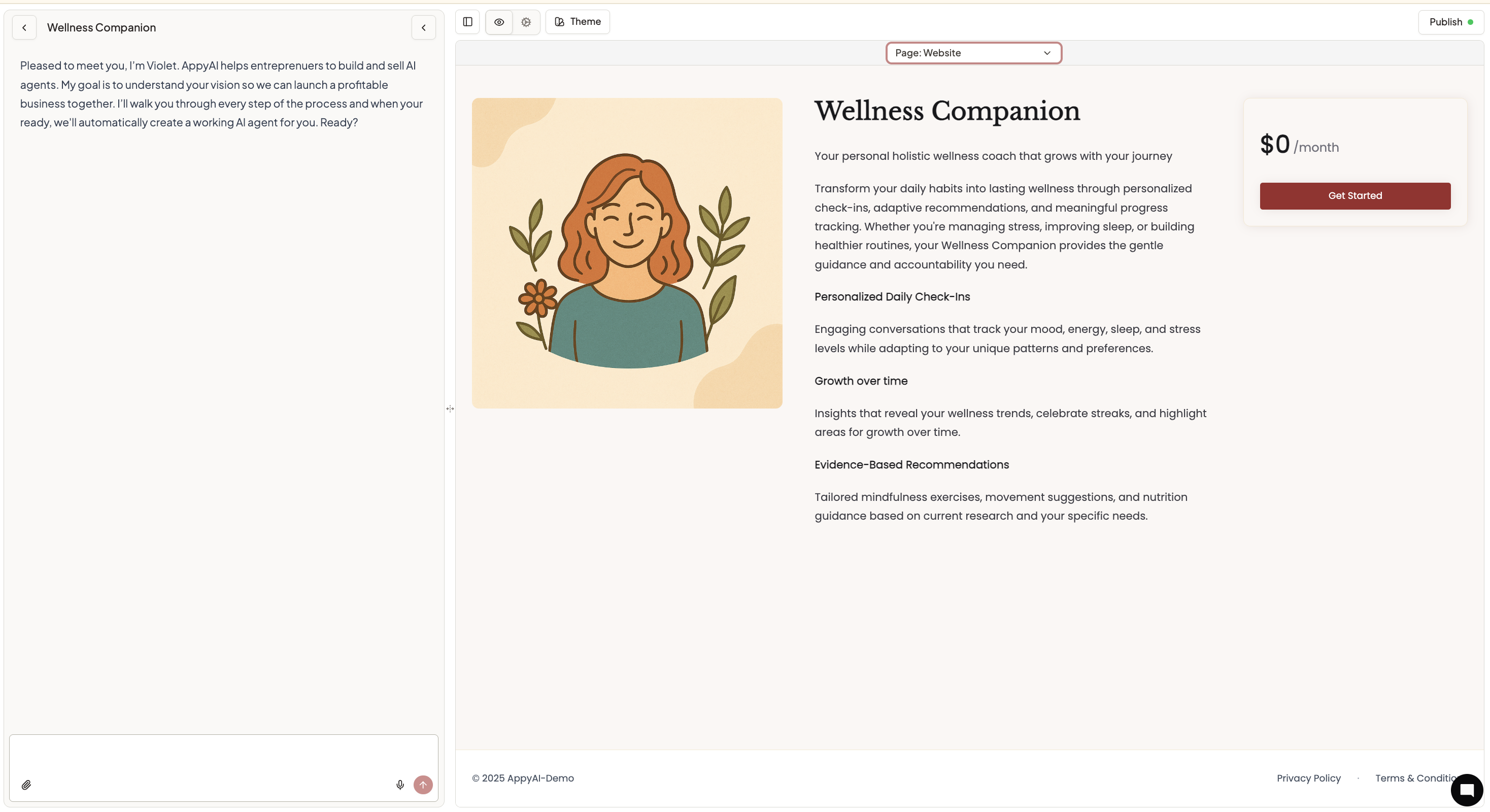
Configure with Violet (Chat)
Ask Violet to help with promotion settings:- “Change my subdomain to ‘consulting-ai’”
- “Change my image on my website”
- “Change the copy on my website to say…”
- “Set my redirect URL to my main website at example.com”
- “What’s my signup link?”
- “Update my agent subdomain to match my business name”
Configure manually
Access promotion settings directly through Settings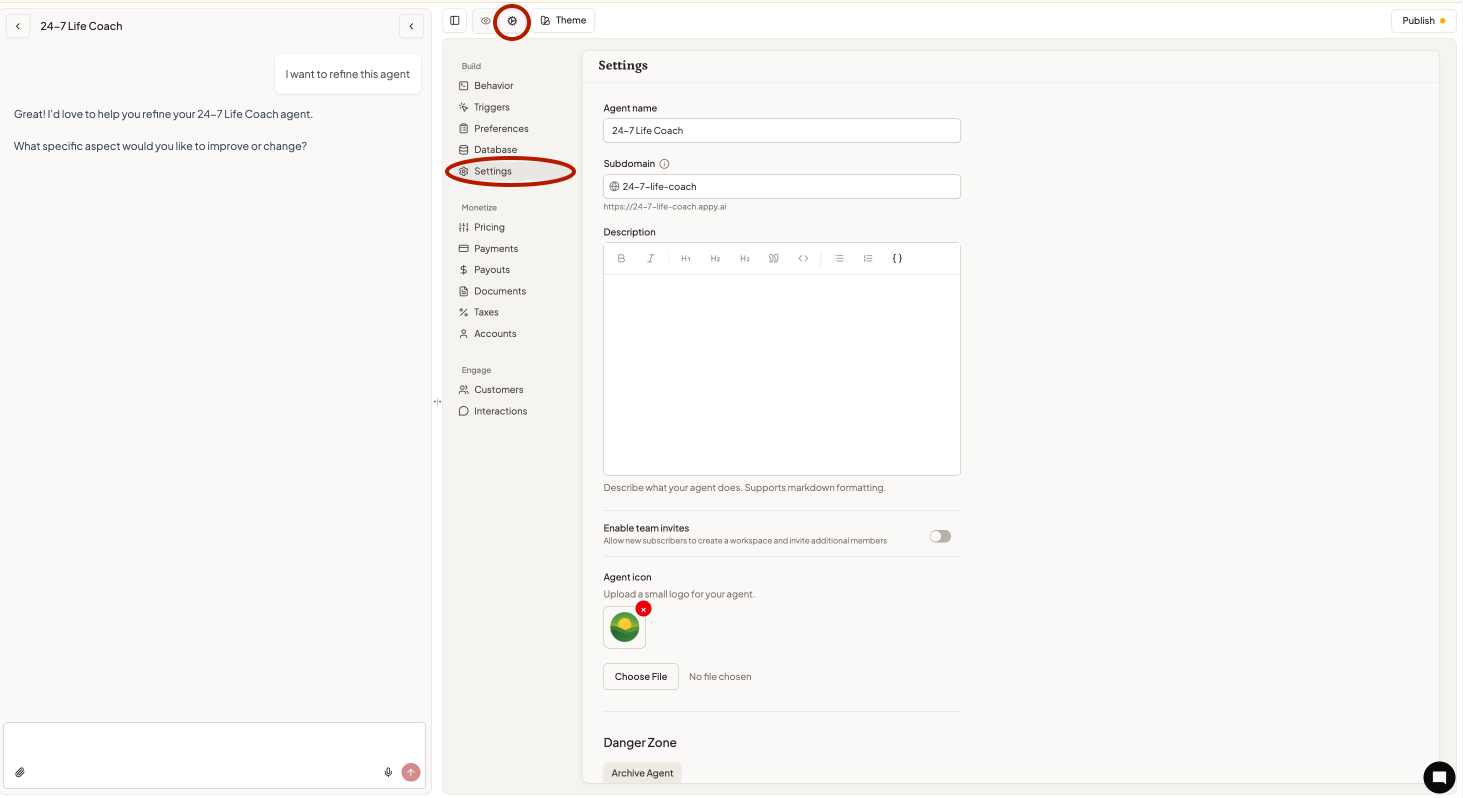
Changing your subdomain and website copy
- Navigate to your agent’s Settings
- Update the Agent Subdomain field to your desired subdomain
- Update Description to change your landing page copy
- Save your changes
Getting started
- Enable sharing to test with beta users (optional)
- Publish your agent when ready for subscribers
- Copy your subscriber URL and start sharing it with potential customers
- Set up a redirect URL to keep customers engaged with your brand
- Promote your agent through your existing marketing channels